Vending
How to Start a Vending Business: The Complete Guide for New Operators
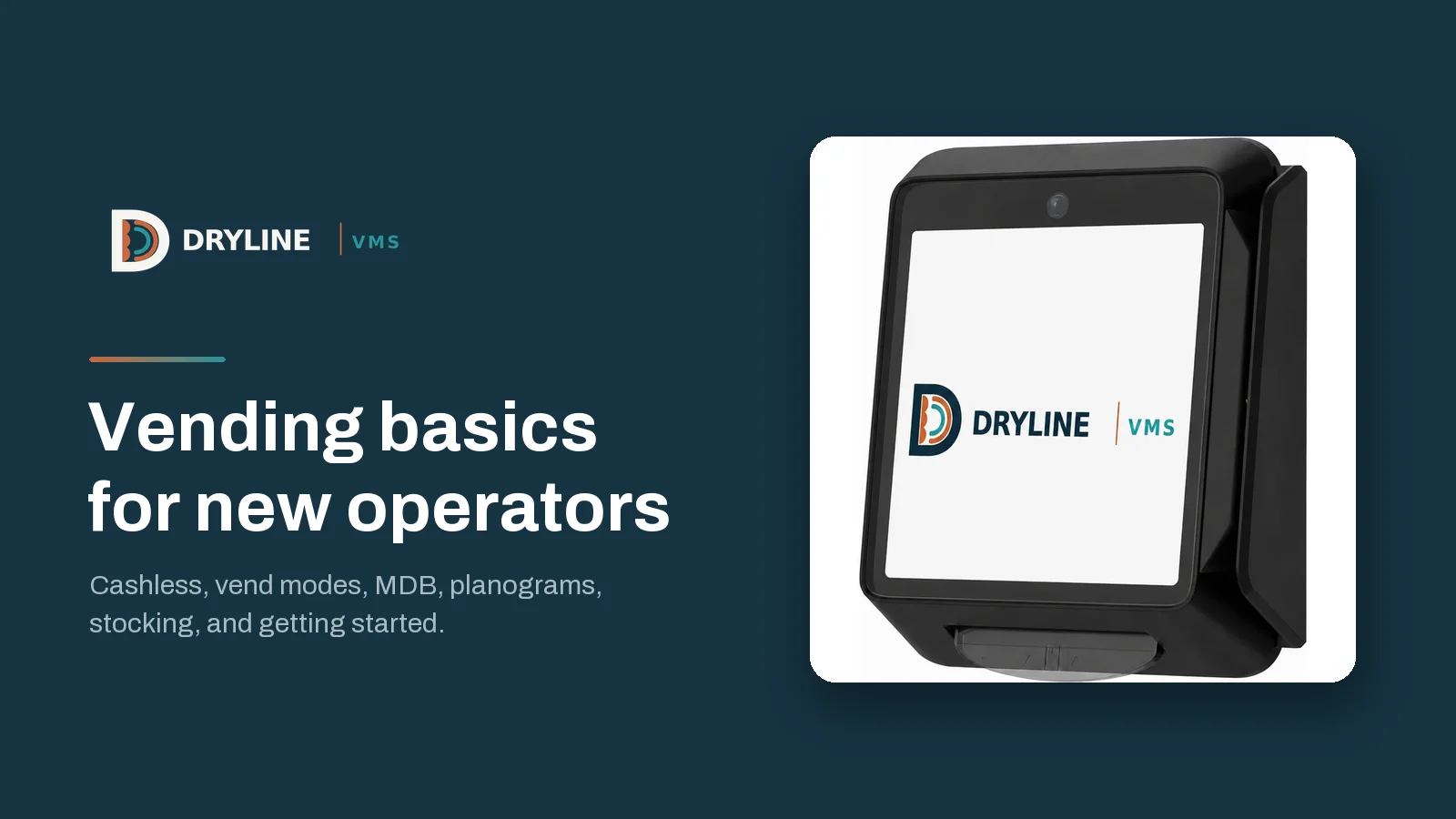
New to vending? Dryline VMS walks through what matters beyond the machine: permits and sales tax, checking a used machine, what the research says about cashless, how MDB and the Tap to Start, Select First and Multivend modes work, building a planogram, stocking, location deals, and running your route, cash and records.
October 29, 2026
 ChatGPT
 Grok
 Perplexity
 Claude
The machines are the easy part of starting a vending business. What decides whether your machines make money is everything around them: permits and sales tax, the deal with each location, how customers pay, and how each machine is planned, stocked and serviced.
At Dryline VMS we build vending management software and the Rain Pay card reader for operators. This guide walks through what a new operator needs to know, in the order you will meet it, from forming the business to the first restock, with the research behind the case for cashless. Every vending term is explained the first time it comes up.
Start small and let each location prove itself
In vending, a location is the business that hosts your machine. You do not need many machines to begin. Plenty of operators start with one or two alongside another job and grow from there. What it costs to start depends on new or used machines, how many you start with, your first stock and local permits, so adding machines only as each location proves itself keeps the first cost down.
Those first machines teach you what no spreadsheet can: what sells at a location, how often a machine needs a visit, and how much of your week your route takes. Your route is the set of machines you service and the loop you drive to reach them.
Set up the business before the first machine
- Choose a structure. Many small operators form a limited liability company (LLC). Get a free Employer Identification Number (EIN), the business’s federal tax ID, from the IRS, and open a business bank account so sales and costs stay separate.
- Get your permits. States with a sales tax issue a seller’s permit, which lets you collect sales tax. Your city or county may require a business license, and some cities license each machine.
- Insure the business. General liability insurance covers injury and damage at a location, and locations may ask for proof before a machine goes in.
- Check the food rules. Fresh or refrigerated food can bring health department rules, so ask your county before you sell it.
The full checklist is in What to know before you start a vending business.
Plan for sales tax from the first sale
Vending sales are often taxable, and states tax a candy bar and a soda differently. Keep sales by product and by location from the first day, because that is what you need to file each sales tax return.
In Dryline VMS: the Tax Center applies the rate at each machine’s address and taxes each kind of product the way that state, county and city tax it. On DrylineVMS Pro, Dryline’s upgraded plan, AI Tax Assist sorts every product into its tax category (the group, such as candy or soft drinks, that sets how it is taxed), and a category changes only when you accept it.
Choose machines for the locations you have
Snack, drink or combo (snacks and drinks in one cabinet), new or used: buy for a location you have lined up, not one you hope to find. A used machine can be a good start, as long as it works and can take cards.
The parts of a vending machine
- Controller: the machine’s computer. It reads the keypad, runs every sale and tells the other parts what to do.
- Coil: the metal spiral that holds a row of one product and turns to push one forward and drop it. Some drink machines use columns instead.
- Selection: the code a customer keys in, such as A1 or C4. Each selection is matched to one coil.
- Coin mechanism: takes coins and pays out change from its coin tubes.
- Bill validator: takes paper bills and checks that they are real.
- Cash box: where bills and extra coins collect until you empty it.
- Card reader: takes cards, phones and watches.
Before you buy a used machine
- Get the make, model and manual, so you know what the controller can do and how to set it.
- Buy something from every selection (a test vend) and watch each coil turn and drop its product.
- Feed in bills and coins, and make sure the machine pays out change.
- On a refrigerated machine, check that it gets cold and stays cold.
- Make sure it supports MDB cashless, meaning a card reader can connect to it. The MDB section below shows how to check.
- Get every key, and make sure the locks work.
Why every machine should take cards: what the research says
Card and phone payments are now the normal way Americans pay in person, and vending customers are no different.
42% of U.S. adults use no cash for any purchases in a typical week. That is up from 24% in 2015, and among adults under 30 it is 51% (Pew Research Center, August 2026).
About 20% of in-person payments were made in cash in 2025. Only 16% of consumers named cash as the way they most prefer to pay in person, while 40% preferred debit and 38% credit (Federal Reserve, 2026 Diary of Consumer Payment Choice).
77% of vending transactions were cashless in 2024 across one large vending payments network, according to its annual payments report (Vending Times, April 24, 2025).
35% average sales growth on machines with card readers. In a study a card reader maker ran with Michigan State University across 250,000 machines over 18 months, cash sales on those machines also grew 17% (Retail Customer Experience, May 28, 2019).
11% to 15% more sales at one operator’s locations after adding card readers, and another operator saw location sales grow 15% within three months (Vending Market Watch, March 9, 2017).
Cash still matters. Most consumers (76%) carried cash in 2025, an average of $69, and four in five used cash in the last 30 days (Federal Reserve Financial Services). The point of a card reader is not to drop cash. It is to stop turning away the customers who have none.
What cards change for an operator
- Prices without coin math. A card pays the exact price, so a price no longer has to suit the coins in a customer’s pocket.
- Less cash to handle. Every card sale is money you never collect, count or carry to the bank.
- Sales you can see. With the right software behind the reader, each card sale is recorded against the product that dropped, so you know what sold without opening the machine.
- No app for customers. They pay with a card, a phone or a watch, and never download anything or make an account.
What a machine needs to take cards
Rain Pay works with most modern vending machines that support MDB cashless. The Rain Pay reader takes tap, chip and swipe, plus Apple Pay, Google Pay and Samsung Pay. It connects over Wi-Fi or its own cellular connection (the SIM card is included), so the location does not need to give you internet access. More in Why your vending machines should take cards.
How MDB ties the machine together
MDB, short for Multi-Drop Bus, is the vending industry’s standard wiring for payment devices. Think of it as one shared cable inside the machine, called a bus. The controller is in charge, and the coin mechanism, the bill validator and a card reader each plug into the bus. Each device has its own address on it, so the controller always knows which one it is hearing from.
A cash sale
- The bill validator accepts a dollar and tells the controller how much it took.
- The controller shows the credit, and the customer keys in a selection.
- The controller turns the coil, then tells the coin mechanism how much change to pay out.
A card sale
- The customer keys in a selection, and the controller sends its price to the card reader.
- The reader approves the card, phone or watch, and the controller turns the coil.
- The controller reports whether the vend succeeded. The reader completes the sale, or cancels it after a failed vend, a sale where nothing dropped.
Adding a reader takes nothing away from cash. The coin mechanism and bill validator stay where they are, and the reader joins them on the bus and draws its power from it, with no extra cable to an outlet.
How to tell if a machine has MDB
Look at the coin mechanism and the bill validator. If they are MDB units, the bus is already in the machine, and its wiring harness ends in a six-pin connector inside the cabinet. MDB has been the standard for decades, so most snack, beverage and combo machines built in the last twenty years support it. More in How MDB works in a vending machine.
DEX: the machine’s own record of every sale
MDB carries payments as they happen. DEX, short for Data Exchange, is the machine’s own bookkeeping. The controller counts everything that happens in the machine and keeps those counts in memory, and the DEX port is how you read them out. Most modern machines have one, and the data follows an industry standard format, so any DEX reader can make sense of it.
The traditional way to read DEX is a handheld device plugged into the port on each visit. A connected card reader can send it from the machine instead, so you see the numbers without being there.
What a DEX read holds
- The machine’s identity, such as its serial number.
- For every selection: its price, how many it has sold, and how much money those sales brought in.
- Cash: the coins and bills taken in, the change paid out, and the coins left in the coin tubes.
- Card sales: how many, and how much.
- Errors and events the machine logged.
The counts keep adding up from the day the machine was set up. Compare two reads, and the difference is what happened in between.
What DEX lets you do
- Know what sold, cash included. DEX counts every vend from every selection, whether the customer paid with cash or a card, so you know what sold without counting the machine.
- Check your cash. DEX says how much cash went into the machine. Compare it with what you take out of the cash box, and a shortage stands out the same day.
- Check your card money. Compare the card sales DEX counted with the card payments that reached your account, and a missing payment shows up.
- Catch price mistakes. DEX reports the price set in the machine for each selection, so you can check it against the price you meant to charge.
- Spot trouble early. The machine’s error log points to a coil that jams or a part that needs service.
In Dryline VMS: the Rain Pay reader reads each machine’s DEX automatically, so there is no handheld to carry, and Dryline keeps every read exactly as it arrived. Reconciliation checks three records for every machine against each other: the machine’s own DEX count, the vends Dryline recorded, and the card payments that settled, meaning the money actually went through to your account. Any machine whose numbers do not match is flagged. Dryline also shows how much cash is in each machine’s cash box since your last collection and how many coins are in its coin tubes. When you record a collection in the app and enter what you counted, Dryline shows the bills and coins the machine’s DEX says the box held right beside it.
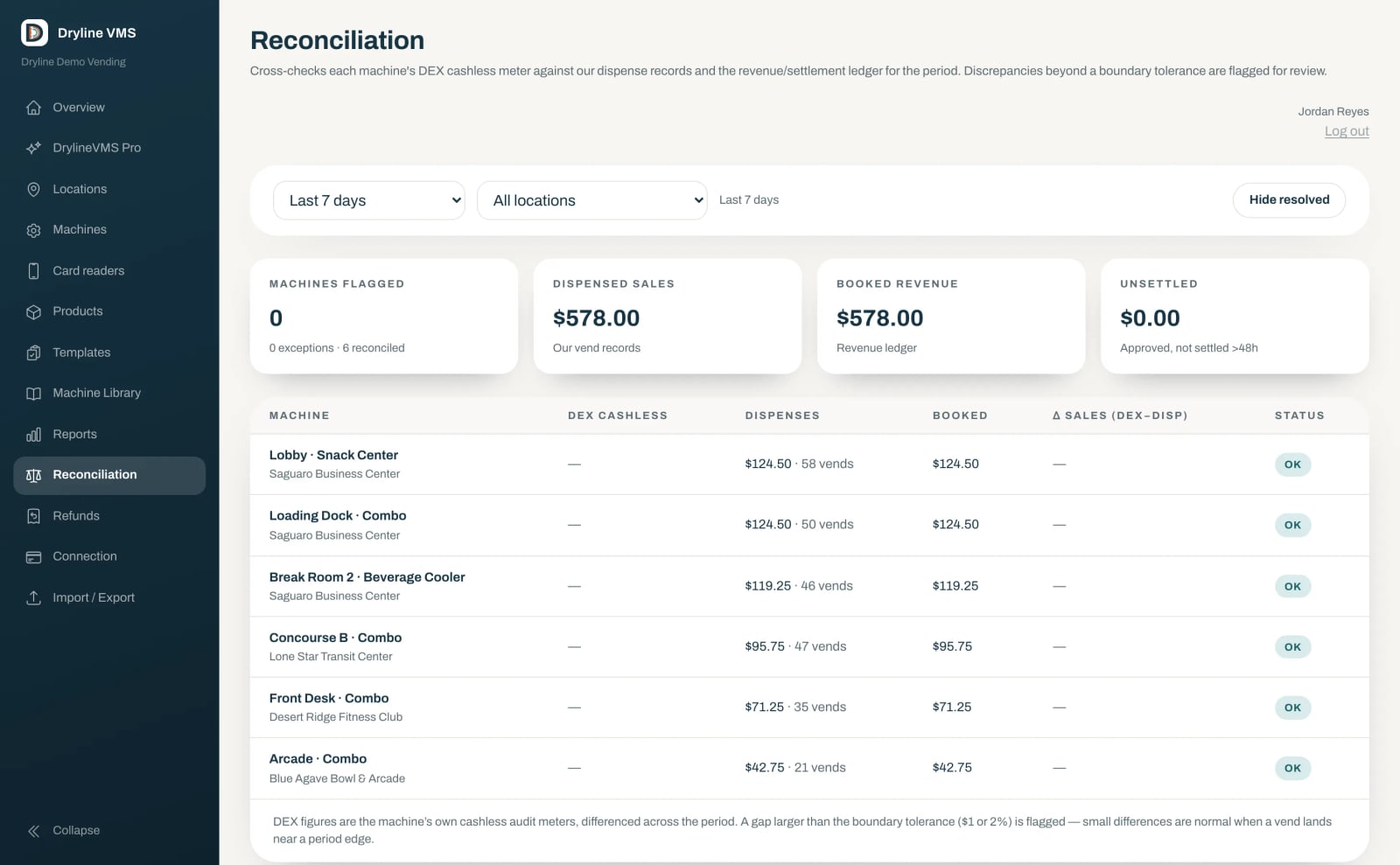
Reconciliation lines up each machine’s DEX count, its dispensed sales and the revenue booked for the period, and marks each machine OK or flagged.
Tap to Start, Select First and Multivend
These are the three ways a card reader can run a sale. It can take payment before or after the customer chooses, and some machines can sell several items for one payment.
Select First: choose, then pay
The customer makes a selection, sees the price, then taps, inserts or swipes to pay that exact amount, and is charged once for exactly what they chose. It suits most machines and most customers, and it is the mode to start a new reader on.
Tap to Start: pay, then choose
The customer taps first. The reader authorizes an amount you set, at or above the highest price in the machine. An authorization is a temporary hold on the card, like the one a gas pump places. The customer then chooses, and the card is charged only for what vended. Use it on a machine that wants credit before it takes a selection.
Multivend: several items, one payment
The customer pays once, picks more than one item, and the machine vends each one. It suits break rooms, teams and families, where one person buys for others and would rather not tap again for every item. Dryline records it as one sale with every product dispensed.
Not every machine supports every mode. The machine’s controller runs every sale, and the reader follows its lead. Most machines that take MDB cashless handle Select First. Multivend also needs a machine that can sell more than one item in a session, a setting often called multiple vend or shopping cart in the machine’s menu, and some machines do not have it. The manual will say.
The mode is a setting on each Rain Pay reader, so two machines can run different modes, and you can change one without new hardware. More in How Tap to Start, Select First and Multivend work.
Build a planogram for every machine
A planogram is the map of one machine: which product goes in each coil, at what price, and how full to fill it. It lists every selection, from A1 to the last one, and records for each:
- Product: the item in that coil, sized to drop cleanly from it.
- Price: what the selection charges. On a card sale, the reader is asked for exactly this amount.
- Capacity: how many of the product the coil holds when it is full.
- Par level: how many you fill the coil to on each visit. A coil that holds 12 of a slow seller might have a par level of 6, so you are not buying stock that sits for weeks.
Whoever restocks works from it, so anyone can fill a machine without guessing from what is left. It keeps the price on the machine matched to the price you meant to charge, it tells you what to pack before you leave, and it turns a sale on B2 into a sale of the product in B2, so you see what sells and not only which coil turned.
How to build one
- Start from the machine’s layout: count the trays (the shelves the coils sit on) and the coils on each, and note which take wide items, bottles or small packs.
- Fit each product to a coil it drops from cleanly, so it never jams.
- Put your best sellers where customers look first, and give a strong seller two coils so it sells out less often.
- Price every selection and set its par level.
- Review it after a few weeks: swap out what has not moved, and move par levels toward what actually sells.
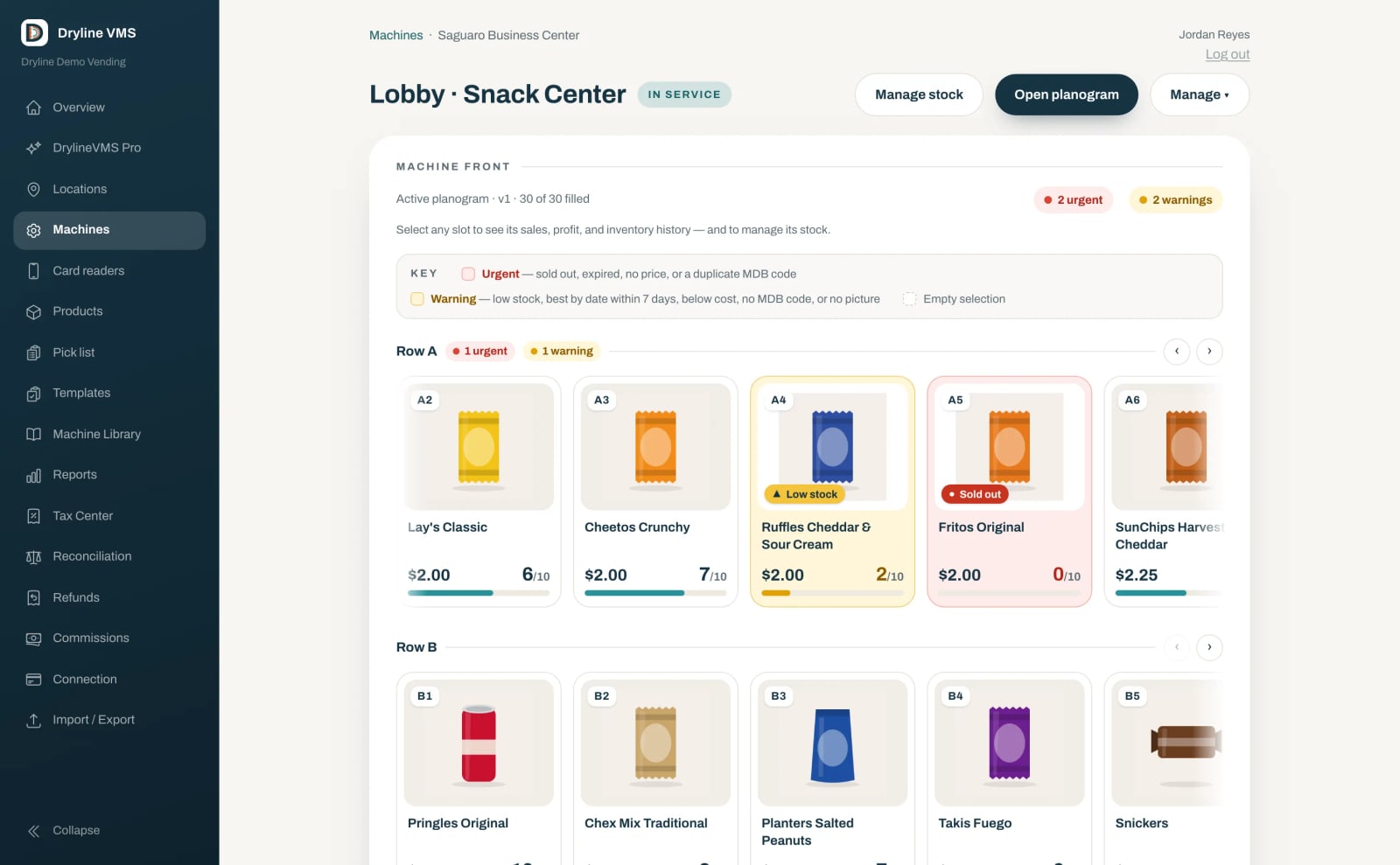
A machine drawn as its real front in Dryline VMS, with each selection’s product, price and stock, and low or sold-out coils flagged.
In Dryline VMS: scan a product’s barcode to put it in a coil, save a layout as a template to reuse on machines that match, and review every change in plain English with a way to roll it back. On DrylineVMS Pro, AI Planogram Assist asks five short questions, then drafts a plan for the machine from your own products and sales. Nothing changes on a machine until you publish it.
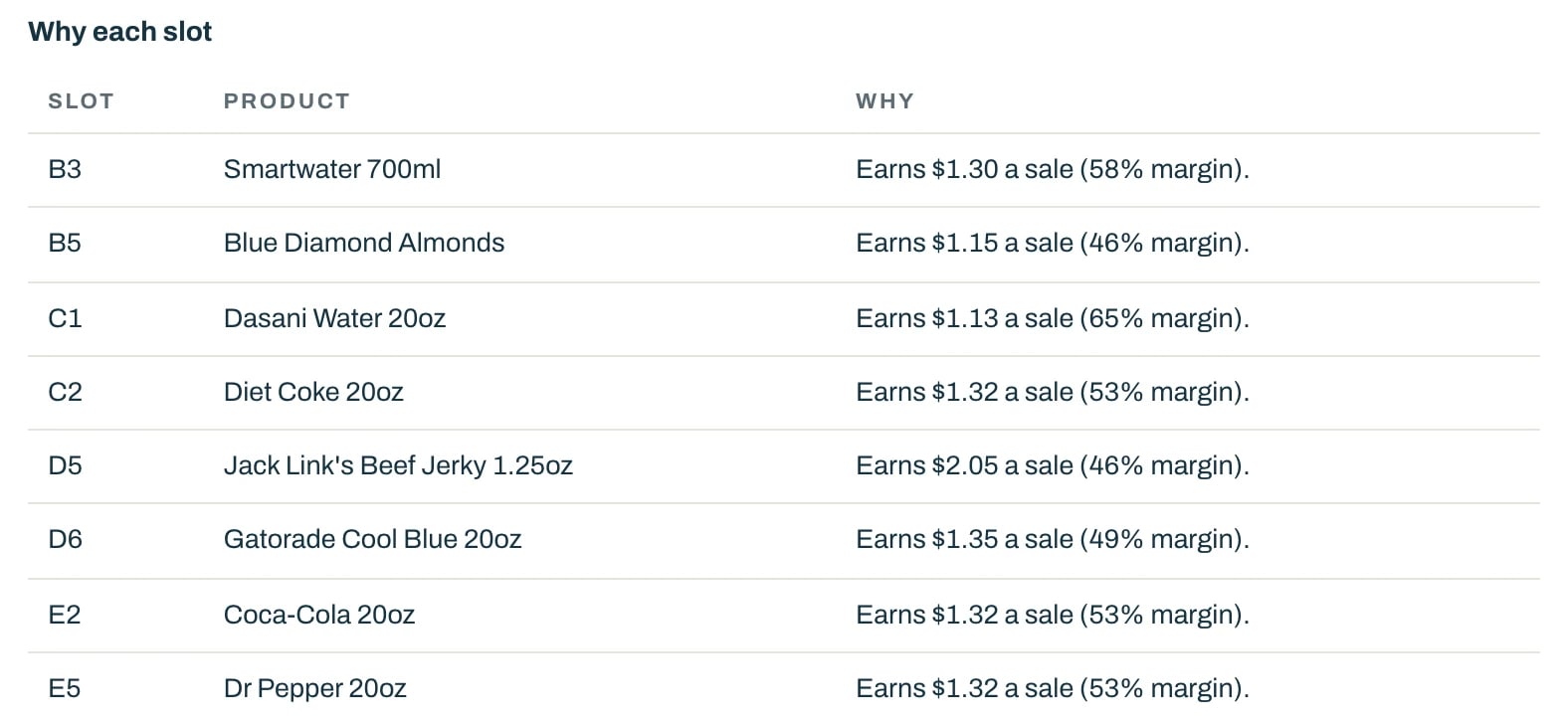
AI Planogram Assist explains each pick, such as what the product earns per sale and its margin, the share of the price you keep after the product’s cost.
More in Planograms: what they are and how to build one.
Stocking strategies for beginners
- Start with a proven mix. Begin with products people already know, then fit the mix to who walks past the machine. An office break room, a gym, a factory floor and an apartment lobby each buy differently, so ask the location what people would like to see.
- Let sales decide the rest. After a few weeks, give a best seller a second coil, drop what has not moved, and keep one or two coils at every location for testing new items.
- Fill to par, not to the brim. Fill each coil to its par level. A slow seller filled to capacity ties up money in stock that ages in the coil, while a fast seller below its par level sells out before you return.
- Rotate and watch dates. Load fresh product behind older product, pull anything past its date, and write down what you throw away. A product that keeps expiring is telling you to carry less of it.
- Restock the machines that need it. A fixed weekly loop spends trips on machines that are still full. Visit the ones running low and bring only what each one needs.
- Keep backstock small. Backstock is the product you keep in storage between visits. Hold enough for your next few visits rather than a season. Wholesale clubs work while you run a few machines, and a vending distributor, a wholesaler that sells to operators by the case, makes sense once you buy for a whole route.
In Dryline VMS: a pick list shows what to pull from your backstock for each machine, coil by coil, with a total for each product. Each restock can carry a best-by date, with expired and soon-to-expire stock flagged on the machine. A daily email lists low and empty selections, and an alert goes out when a machine goes offline (stops reporting) or starts failing vends. On DrylineVMS Pro, forecasting tracks every selection and shows what is sold out, what is at risk of selling out, and how many days each one has left.
More in Stocking strategies for new vending operators.
Find locations and put the deal in writing
Look for steady foot traffic (plenty of people walking past), long hours and no machine already serving the spot. Break rooms, gyms, apartment buildings, auto shops and hotels are common first locations. Bring a short proposal: what you will stock, how often you will visit, and how a customer gets a refund.
Some locations ask for a share of sales, called a commission, some for a flat monthly amount, and some for nothing beyond good service. Write the deal down, with the service schedule, who supplies power, and how much notice either side gives to remove the machine.
In Dryline VMS: location commissions take a rule per location (a percent of sales, a percent of profit, a fixed monthly amount or an amount per item) and work out what each location is owed for any period, on cash and card sales after refunds and sales tax, with a statement per location that you mark as paid.
Price for the location
Check what nearby stores charge for the same items, and price for the convenience of a machine that is right there.
Plan your route, your cash and your records
Group machines by area so one trip serves several. Empty each cash box on a schedule, count it, and bank it often. Keep receipts for stock, fuel and repairs, and track sales by machine, location and product, so sales tax, commissions and your yearly taxes all get simpler.
On DrylineVMS Pro, the route planner lists the machines that need a visit and why, and builds each driver’s route with arrival times. You review it, send it to the Dryline VMS app on the driver’s phone, and each visit is recorded there.
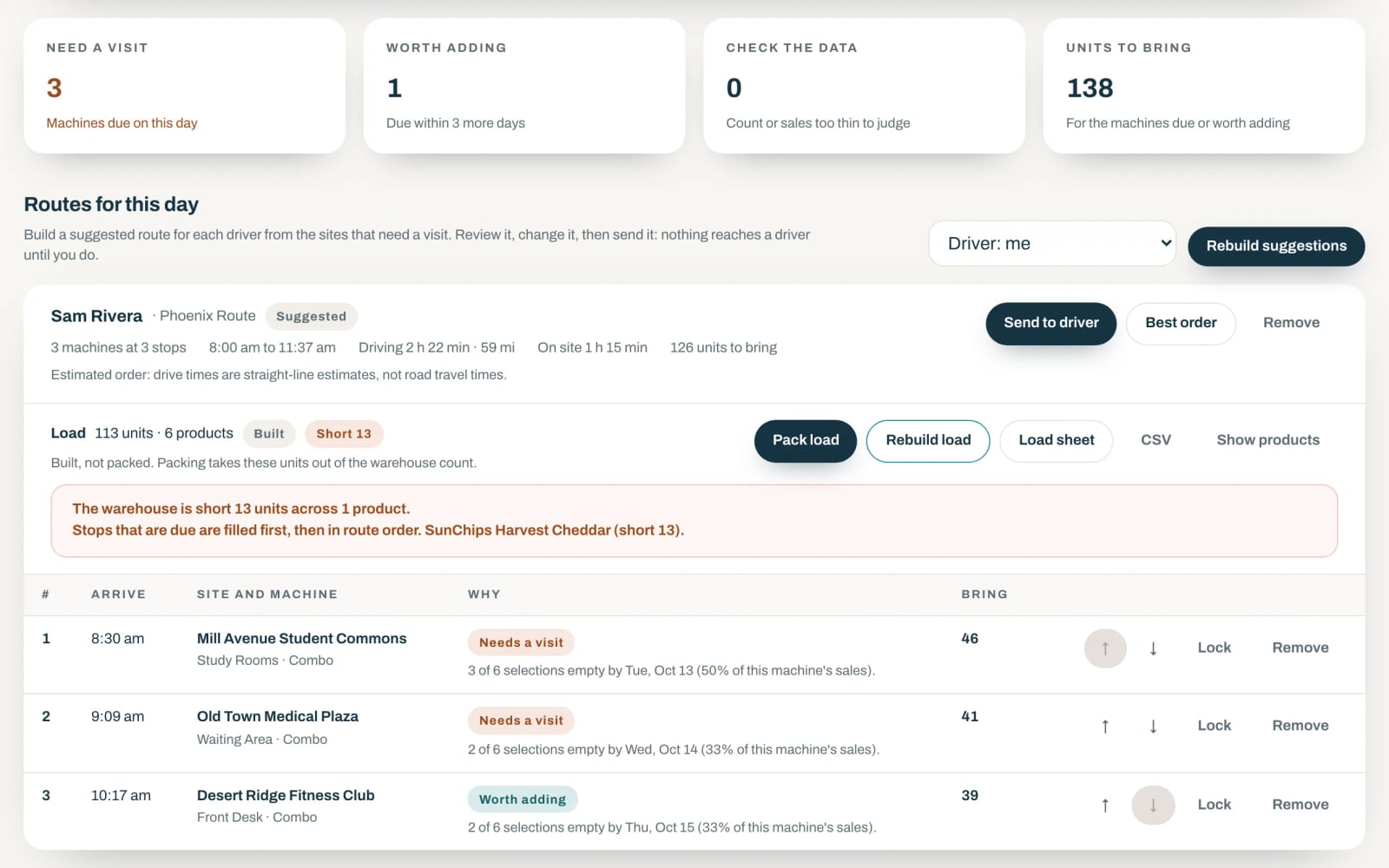
A suggested route for the day: which machines need a visit and why, when the driver arrives, and how many units to bring.
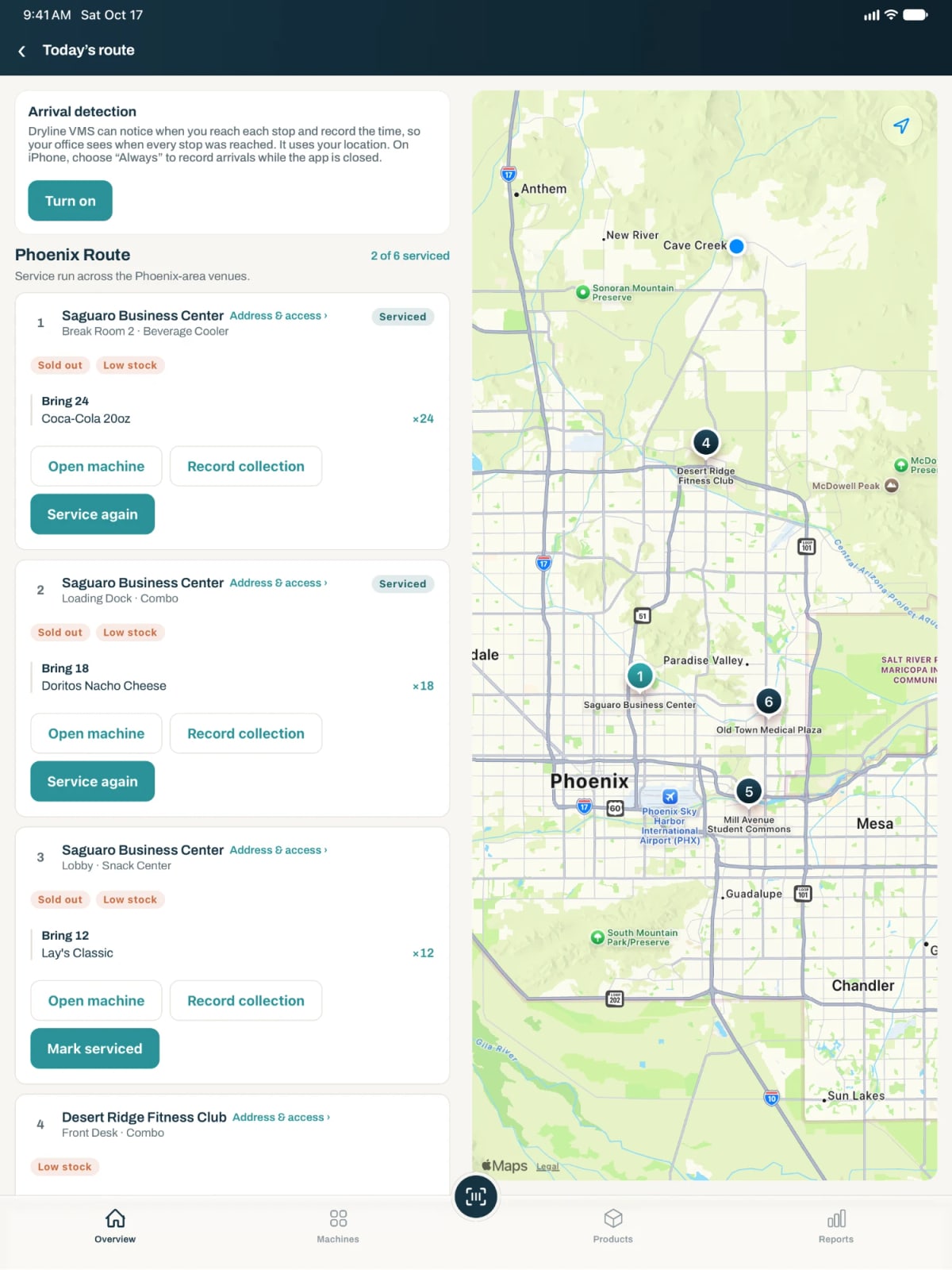
On the road, each stop shows what to bring, with the route on a map.
Numbers to watch every week
- Sales per machine and per location, and how they compare with last month.
- Your best and slowest sellers at each location.
- Selections that sold out before you got there.
- Stock you threw away, by product.
- The share of sales paid by card.
- Failed vends, which point to a coil, a product or a machine that needs attention.
Dryline’s reports cover sales, vends, the average sale, the failure rate, sales by day, and top machines and products, and export to a spreadsheet.
Take care of customers
Put a phone number or a QR code on every machine so a customer can report a problem or ask for a refund, and answer quickly. Keep each machine clean, lit and full of what that location buys.
Already running machines on another system?
Not every operator starts from zero. If you bought machines with a reader still registered to the previous owner, or you want support from the people who build your software, here is what moving to Dryline VMS looks like:
- Each Rain Pay reader ships registered to your account, so a machine takes cards on your account from the day it goes in.
- You bring locations, machines, products and planograms across yourself, from your current system’s Excel or CSV export or a NAMA VDI 2.0 file (the vending industry’s standard data file), and check every row in a preview before anything is saved.
- Support is US-based. Dryline VMS is based in Arizona, and so is its support: call 844-723-9732 or email support@drylinevms.com to reach the team that builds it.
- There is no contract and no activation fee. You pay month to month.
Where Dryline VMS fits
Dryline VMS is AI-native vending management software, built around AI from the start, and it works as one system with the Rain Pay reader. Everything this guide shows in Dryline runs there: DrylineVMS Core comes with every reader, and DrylineVMS Pro adds the AI tools, forecasting and the route planner.
Read the full Vending Basics guides. Cashless, vend modes, MDB, planograms, stocking and getting started, at drylinevms.com/vending-basics. Or book a 20-minute demo and set up your first machine with us on real screens.
Included In This Story

DrylineVMS
Run Unattended. Stay in Control.
Dryline VMS is vending management software for unattended retail operators. It shows each machine as its real front with product, price, and fill level per slot; builds planograms by scanning barcodes; reconciles DEX and settlement; and reports sales tied to the actual product sold. It imports and exports NAMA VDI 2.0.
Related Media
Subscribe
Get the latest news and resources from Vending Times.